
01
Publish a specific need
Describe a need for subcontractors, labour, materials or equipment with scope, quantities, location, files and deadlines.
BuildIt Pro
BuildIt brings requests, offers, files and communication together so construction teams can work with clearer context and fewer manual handoffs.
Current interface · illustrative data
BuildIt Pro is for professional construction relationships and specific procurement. It is not a catalogue or a promise of automatic partner selection.
Why BuildIt
Instead of fragmented conversations across email and phone, BuildIt keeps requests, offers, files and status in one shared working environment.
Describe a need for subcontractors, labour, materials or equipment with scope, quantities, location, files and deadlines.
Choose a public request or limit procurement to selected organizations without changing the offer structure.
Keep requirements, offers, attachments, statuses and decisions organized when several companies participate.
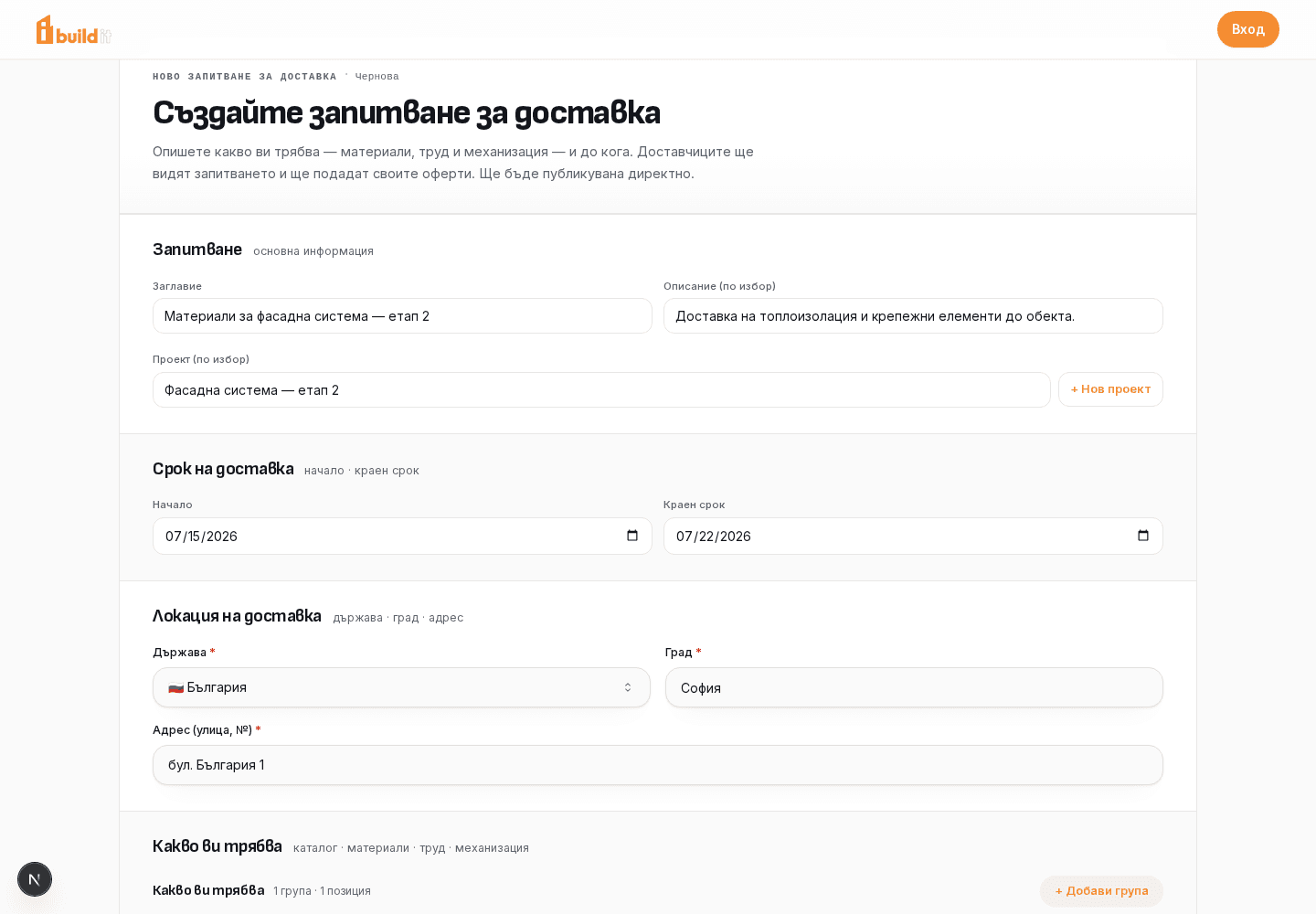
Structured request
Scope, groups, quantities, location and deadlines.
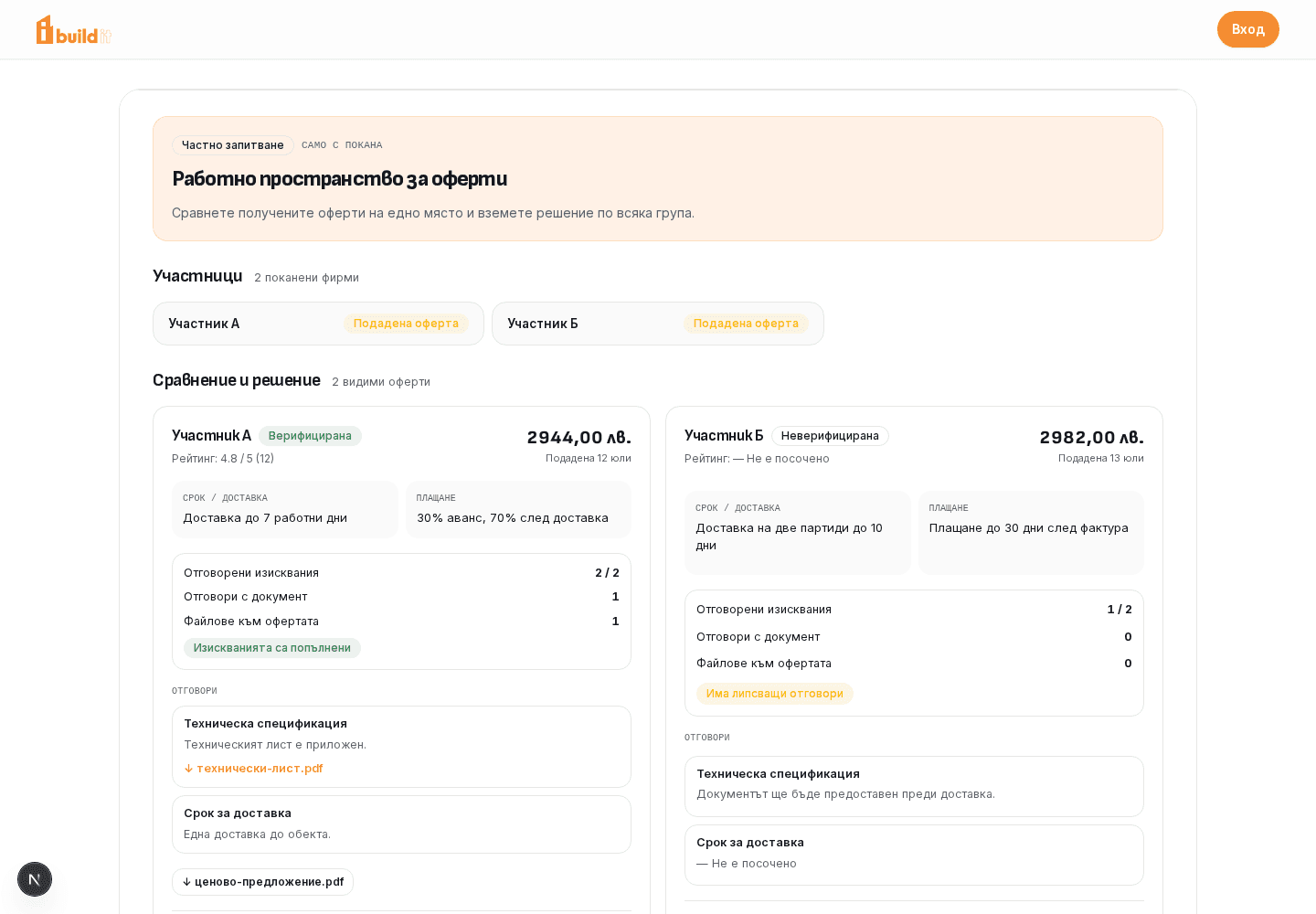
Private procurement
Invited participants, requirements, files and offer status.
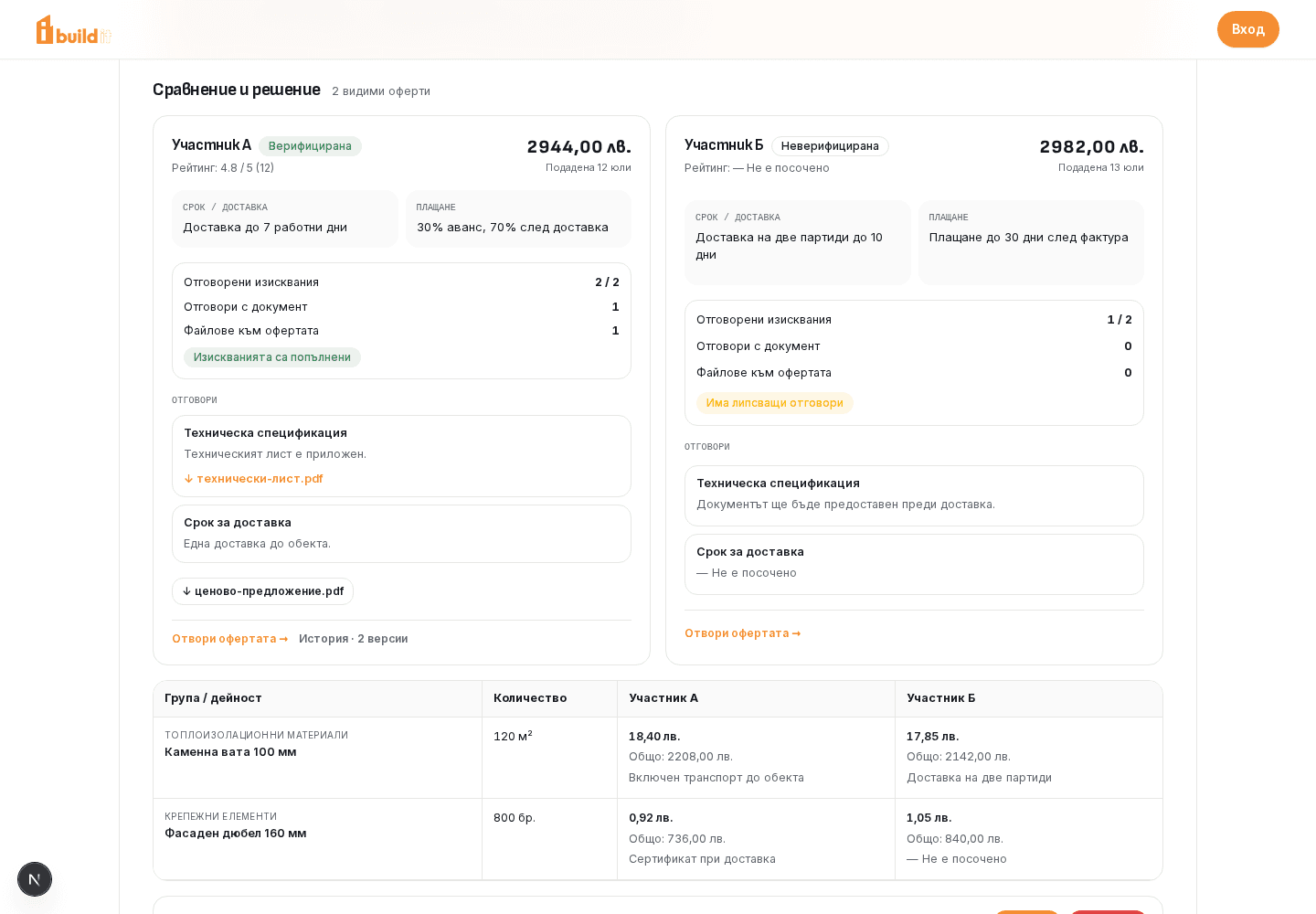
Offer comparison
Prices, timelines, terms and completeness for the same request.
These screens come from the current BuildIt interface. The data is illustrative and demonstrates the product, not real customers or outcomes.
Explore the product screens in detail →Value for your side of the process
The original BuildIt idea remains the same: the client and participant work against one shared scope, while each receives tools for their own responsibility.
YOU PROCURE WORK OR SUPPLY
Prepare the request, define access and compare received proposals without BuildIt making the decision for you.
Publish, receive and compare proposals in one sequence.
Share the same scope, requirements and files with admitted participants.
Review values, timelines and terms against the same groups and line items.
Context stays with the project and request instead of moving between separate channels.
Look for capacity in the market or work only with selected companies.
Retain statuses, versions, decisions and available reviews for later reference.
YOU BID AND DELIVER
Assess a specific opportunity and submit your own proposal in a clear structure without competitors’ offers becoming public.
Work from defined activities, quantities, location, deadlines and applicable files.
Prices, terms, responses and attachments stay with the specific request.
Submit values by group and line item together with your real commercial terms.
Present your public profile and available history without exposing private offers.
Discover public opportunities or participate in processes to which you are invited.
After completed work, both sides can leave a review connected to the specific procurement.
How the process runs
From publishing a request to selecting a contractor and retaining the history afterwards, the process stays structured for both sides.
Choose public or private access and add the scope, deadlines, requirements and files.
Admitted participants review the context and submit structured prices, terms and attachments.
The client reviews proposals against the shared scope and makes its own decision.
Statuses, versions and decisions remain available, and both sides can leave feedback after completion.
Choose a professional role
Each role has its own story rather than being blurred into a page for everyone.
Strategic partnerships
We are open to conversations with companies, investors and people who want to contribute to BuildIt’s development.
Enter the professional environment and begin with the project, request or role you have today.